
22 May 2026 · 5 min read
Carousel pins used to feel like a forgotten feature. In 2026, they're quietly driving more saves, clicks, and blog traffic than standard pins - and most bloggers haven't caught on yet.
Remember carousel pins? Pinterest rolled them out years ago, and for a while they felt like a novelty - nice in theory, clunky in practice. Most bloggers tried one, shrugged, and went back to their trusty single-image pins.
But something shifted in late 2025. Pinterest's algorithm started rewarding multi-image pins with noticeably more distribution. Engagement metrics climbed. Click-through rates ticked up. And the bloggers who were paying attention? They started seeing carousel pins outperform their standard pins by 30-50% on saves and 20-40% on outbound clicks.
If you've been sleeping on Pinterest carousel pins for bloggers, this is your wake-up call. Let's break down what's happening, why it matters for your blog traffic, and exactly how to create carousels that work - without adding hours to your workflow.
Pinterest has been vocal about one thing in 2026: they want users staying on the platform longer. Carousel pins play directly into that goal. When someone swipes through 3-5 images instead of glancing at one, that's more time spent engaging - and the algorithm notices.
Here's what's driving the carousel comeback:
Higher engagement signals. Each swipe counts as an interaction. More interactions = more algorithmic love = more distribution to your target audience.
Multiple chances to hook a reader. Your first image might not resonate, but your third one could be the exact thing that makes someone click through to your blog.
Pinterest's push toward "storytelling" content. The platform is prioritizing content that tells a mini-story or delivers quick value - and carousels do both naturally.
Less competition. Most bloggers still aren't creating carousels consistently, so you're playing in a less crowded space while the algorithm is actively favoring the format.
In short, Pinterest multi-image pins and traffic go hand in hand right now because the platform is practically begging creators to use this format.

Here's where most bloggers go wrong: they treat a carousel like a slideshow of random images. Swipe through and… nothing connects. No story, no progression, no reason to click.
The carousels that actually drive blog traffic follow a specific structure:
Your first image needs to stop the scroll just like any pin - bold text overlay, a compelling promise, and visuals that pop. Think of it as your headline. Example: "5 Weeknight Dinners That Freeze Beautifully" or "The Nursery Organization Trick I Wish I'd Known Sooner."
Slides 2-4 deliver quick, skimmable value. Each one should feature one tip, one idea, or one step. Keep text minimal - 10-15 words max per slide. The goal is to make someone think, "Oh, this is actually useful. I want the full version."
Want to do this without the manual work?
PinFreshly converts your blog posts into Pinterest pin images automatically. Free to try.
Your final slide should drive the click. Something like "Get the full recipe + printable grocery list on the blog" or "Read the complete guide - link below." Don't be shy. People need to be told what to do next.
Pinterest allows up to 5 images per carousel. In testing, 4-slide carousels tend to perform best - enough to tell a story, short enough that people swipe all the way through. Three works great too, especially if your content is visual (recipes, DIY, room tours).
Let's be honest: the reason most bloggers abandoned carousels the first time around was the workload. Designing one pin is manageable. Designing four coordinated slides for every blog post? That's a recipe for burnout.
Here's a streamlined approach that actually works:
Start with templates. Create 2-3 carousel templates with consistent fonts, colors, and layouts. Swap out the text and images for each new post. This cuts design time by 70%.
Repurpose your blog content. Pull your H2 headings or key takeaways directly from the post. Your carousel slides practically write themselves.
Use a 2:3 aspect ratio for each slide. That's 1000×1500 pixels - the same format that works for standard pins. Consistency matters.
Keep branding cohesive across slides. Same background style, same font hierarchy, same color palette. The carousel should feel like one piece of content, not five random pins stitched together.
Batch your carousels. Set aside 30 minutes once a week to create carousels for 3-4 posts. Batching is the secret to sustainability.
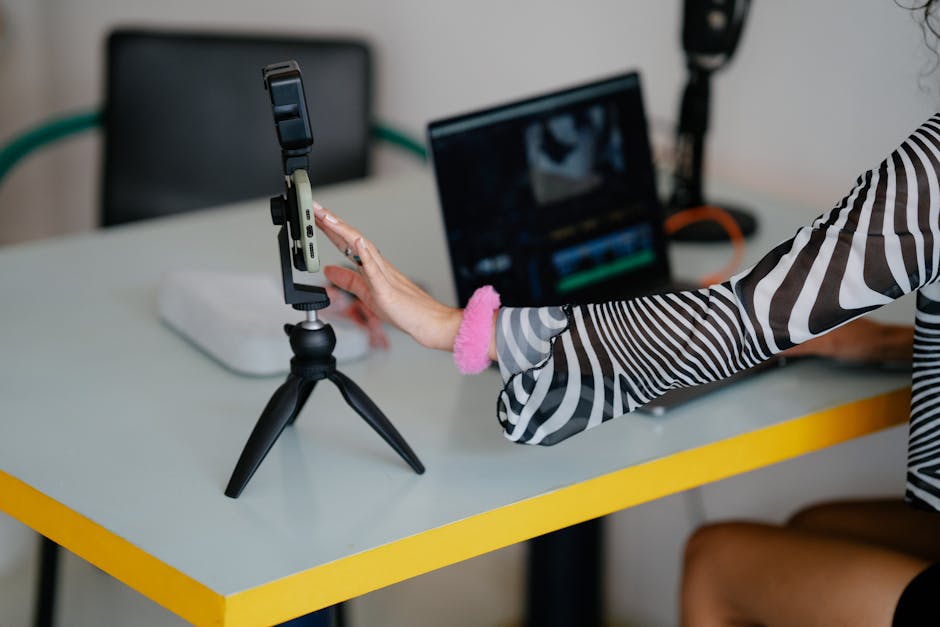
Carousels aren't replacing standard pins - they're complementing them. The smartest strategy in 2026 is a mix of pin types for every blog post:
1-2 standard pins (your bread and butter - still effective, still essential)
1 carousel pin (your engagement booster - more swipes, more saves, more clicks)
1 idea pin or video pin if applicable (great for awareness, less reliable for traffic)
This "pin variety" approach signals to Pinterest that your content is high-quality and worth distributing across different formats. Think of each pin type as a different door into the same room - your blog post.
Windows like this don't stay open forever. Right now, Pinterest carousel pins are in a sweet spot - the algorithm is favoring them, most bloggers aren't creating them, and early results look promising.
You don't need to overhaul your entire Pinterest strategy. Start with one carousel pin per blog post this week. Use the hook-value-CTA structure. Keep your templates simple. And if designing multiple pin images for every post feels like too much, tools like PinFreshly can help you generate pin-ready images from your blog content automatically - so you can spend that time actually creating the carousel slides that set you apart.
The bloggers who move on this now will have a real edge. Be one of them.
Share this post
Enjoyed this? Get more like it.
Weekly Pinterest tips for bloggers. Unsubscribe anytime.
Check your email to confirm ✓
Something went wrong. Please try again.
Still creating pins manually?
Every blog post you publish without pins is traffic left on the table.
PinFreshly turns your RSS feed into branded pin images in seconds — free to start, no card required.

24 October 2026
Your pins get tapped, yet nobody reaches your blog. The likely culprit: you've already given readers everything they came for. Here's the fix.

19 October 2026
Your styled room photos might be invisible to Pinterest's matching tools. Two well-written sentences on every pin could change that.

17 October 2026
Your December posts aren't done working. These 5 steps turn holiday content into new year reset pins in one quiet afternoon between Christmas and New Year.