
15 July 2026 · 5 min read
Most bloggers set up Pinterest backwards - optimizing profile details while ignoring the one thing that actually builds momentum from the start.
You've heard the advice a hundred times: set up a business account, write a keyword-rich bio, create ten boards, and start pinning. So you do all of that on a Monday afternoon, feel productive, and then… crickets. A month later your analytics still show a flatline, and you're wondering what you did wrong.
Here's the thing - you didn't do anything wrong, exactly. You just started in the wrong order. Learning how to start a successful Pinterest account isn't really about the setup checklist. It's about understanding what Pinterest actually rewards from the very first pin you publish.
And once you see it, you can't unsee it.
This is the fundamental mindset shift that separates bloggers who grow on Pinterest from bloggers who quit after three months. Pinterest isn't Instagram. It's not about followers, engagement pods, or posting at the "right time." It's a visual search engine - closer to Google than to TikTok.
That means how to be successful on Pinterest comes down to one core principle: create content that answers what people are already searching for.
Every pin you create is essentially a search result. Your pin image is the thumbnail. Your pin title and description are the metadata. Your blog post is the landing page. When you think about it this way, the entire strategy shifts.
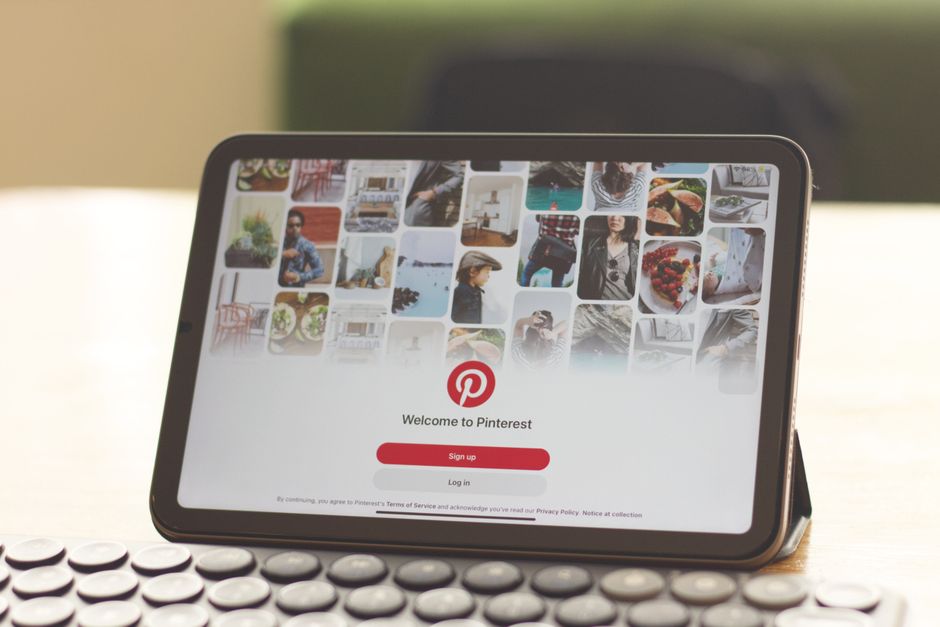
Before you design a single pin or choose a brand color palette, open Pinterest and start searching. Type in topics related to your blog niche and look at what autocomplete suggests. Those suggestions are real searches from real people - and they're gold.
For example, if you're a food blogger, typing "easy dinner" might reveal searches like "easy dinner recipes for picky eaters" or "easy dinner ideas for two." Each of those is a potential blog post and a potential pin that could drive traffic for months.
Write down 15-20 of these search phrases. They'll guide everything you do next.
Most bloggers create boards like "Recipes" or "Home Decor." These are fine, but they're too broad to help Pinterest understand what your content is about. Instead, create boards that mirror actual search queries:
"30-Minute Weeknight Dinner Ideas" instead of "Recipes"
"Small Living Room Makeover Inspiration" instead of "Home Decor"
"Toddler Activities for Rainy Days" instead of "Parenting"
Write board descriptions that include your target keywords naturally. Aim for 8-12 boards to start - you can always add more as your content library grows. This is one of the most overlooked steps in how to make a successful Pinterest account, and it takes about an hour.
Want to do this without the manual work?
PinFreshly converts your blog posts into Pinterest pin images automatically. Free to try.
Pinterest's algorithm heavily favors fresh pins - new images linked to your content. Not repins. Not the same image recycled with a different description. Brand new pin graphics.
Here's where it gets real: ideally, you want to create 3-5 fresh pin images for every single blog post. If you're publishing one post a week, that's 15-20 new pin images per month. If you have a backlog of 50 posts? You can see how this snowballs fast.
This is honestly the step where most bloggers burn out. Designing pins manually in Canva, one by one, gets exhausting - especially when you'd rather be writing your next post. Tools like PinFreshly can help here by automatically generating pin images from your blog posts, so you're not spending your creative energy on repetitive design work.

Your pin title should include your target keyword and create enough curiosity to earn the click. Your description should expand on the promise with 2-3 sentences that naturally weave in related search terms.
A quick formula that works:
Title: [Benefit or Number] + [Keyword] + [Specificity]. Example: "12 Easy Freezer Meals That Save Busy Moms 5 Hours a Week"
Description: Expand on the promise, include 2-3 keyword variations, and end with a soft call to action like "Click to get the full list."
Don't stuff keywords awkwardly. Pinterest is smart enough to understand natural language, and pinners are smart enough to scroll past spammy descriptions.
This might be the hardest step of all: patience. Pinterest is a slow-burn platform. A pin you publish today might not peak in search results for 3-6 months. That's dramatically different from Instagram, where a post is basically dead after 48 hours.
The bloggers who figure out how to be successful on Pinterest are the ones who commit to consistent pinning for at least 90 days before making any major strategy changes. Track your impressions, outbound clicks, and saves monthly - not daily.
Here's what makes Pinterest uniquely powerful for bloggers: every pin you create continues working for you indefinitely. A pin from 2023 can still drive traffic in 2025 if it ranks for the right search term. That means every fresh pin you publish is a tiny investment that compounds over time.
After six months of consistent effort, most bloggers have hundreds of pins in circulation - all quietly sending visitors to their blog while they sleep, cook dinner, or binge-watch their favorite show.
If you remember nothing else from this post, remember this: how to make a successful Pinterest account isn't about perfection on day one. It's about consistently creating fresh, keyword-rich pins that answer real searches. Start with search intent, build boards that match, create multiple pin images per post, and give the algorithm time to work. The bloggers winning on Pinterest aren't doing anything magical - they're just doing the basics, consistently, without burning out in the process.
Share this post
Enjoyed this? Get more like it.
Weekly Pinterest tips for bloggers. Unsubscribe anytime.
Check your email to confirm ✓
Something went wrong. Please try again.
Still creating pins manually?
Every blog post you publish without pins is traffic left on the table.
PinFreshly turns your RSS feed into branded pin images in seconds — free to start, no card required.

24 October 2026
Your pins get tapped, yet nobody reaches your blog. The likely culprit: you've already given readers everything they came for. Here's the fix.

19 October 2026
Your styled room photos might be invisible to Pinterest's matching tools. Two well-written sentences on every pin could change that.

17 October 2026
Your December posts aren't done working. These 5 steps turn holiday content into new year reset pins in one quiet afternoon between Christmas and New Year.